EDA Chatbot: From Complexity to Clarity
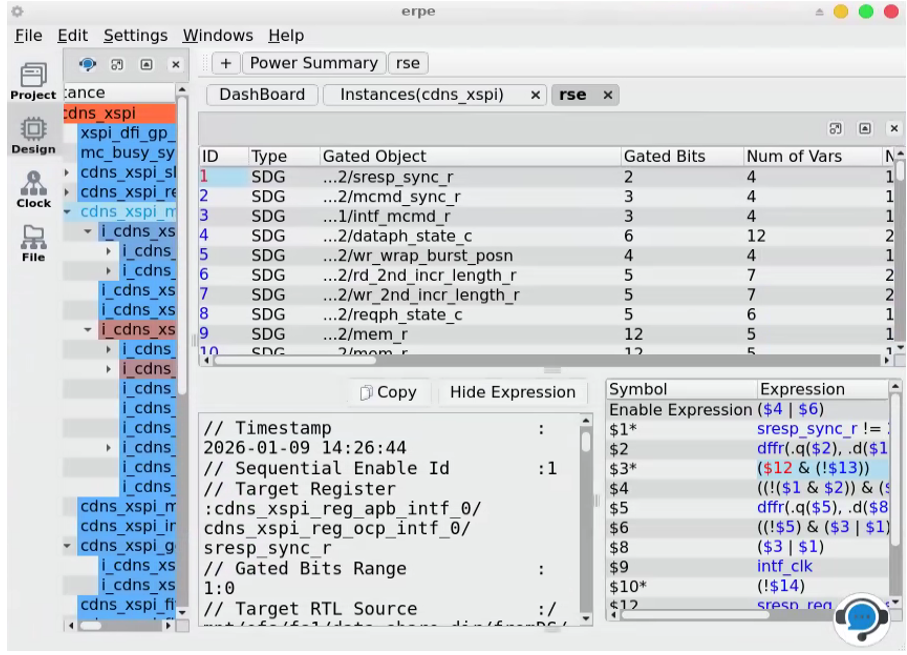
In the fast-paced world of semiconductor design, time-to-market is everything. However, as EDA (Electronic Design Automation) tools become more powerful, they also become more complex. Engineers often find themselves spending as much time learning the tool as they do debugging the design.
Today, we are thrilled to showcase how our latest innovation—the Integrated EDA Chatbot—is helping our customers bridge this gap, ensuring they use our platform to its full potential from day one.
A Customer Story: Meeting the Deadline Using the Chatbot
Consider the case of a Lead Power Engineer at a top-tier chip design firm. They were facing a critical power-closure bottleneck on a 5nm mobile SoC. The tool was reporting complex sequential enable opportunities, but the engineer wasn't sure how to best navigate the new RTL-Power Cross-Probing features to verify the stability-based gating logic.
In the past, this would have meant digging through a 500-page PDF manual or waiting 24–48 hours for a support ticket response.
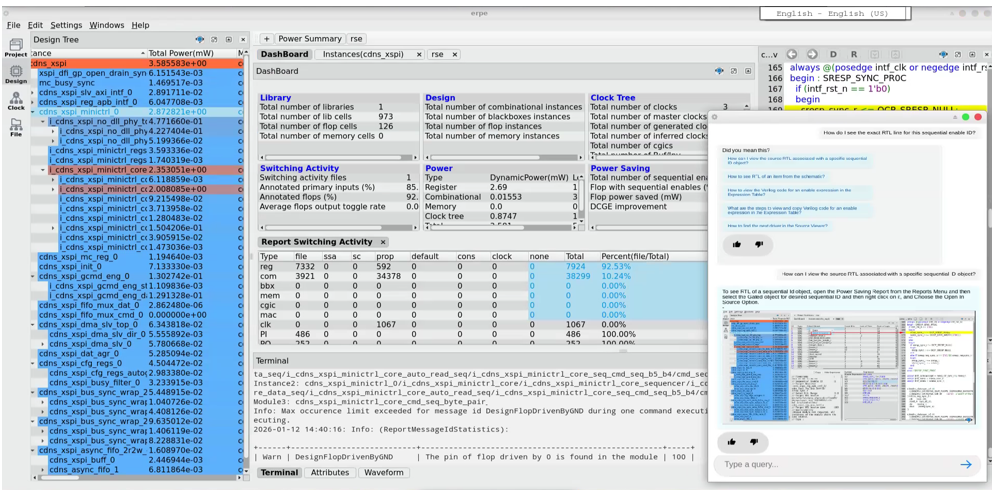
Instead, they clicked the chatbot icon in the bottom-right corner of their GUI.
1. Real-Time Guidance, Right Where You Need It
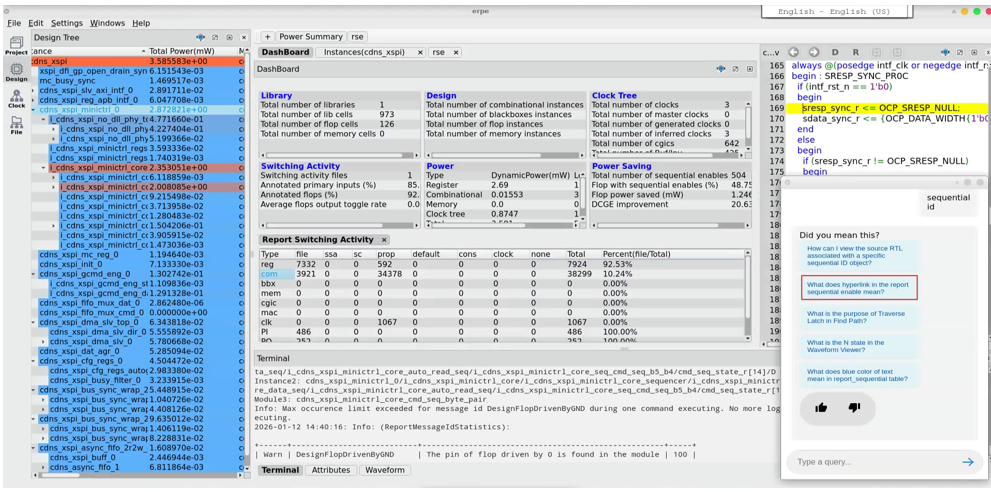
The engineer typed: "How do I see the exact RTL line for this sequential enable ID?"
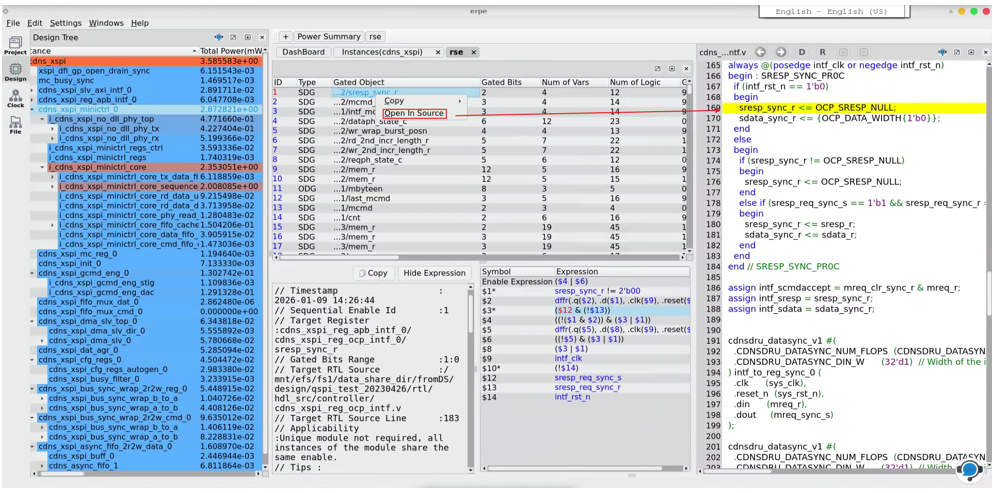
The chatbot didn't just provide a text answer. It guided them through the process, showing screenshots of the new GUI workflow. It explained that a right-click on the Gated object of desired sequential ID and choosing Open In Source now points directly to the assignment in the source viewer, and a left-click on ID brings up the logic expression table as well.
2. Discovering "Hidden" Potential
After resolving the initial issue, the chatbot offered a follow-up suggestion: "Did you mean: What does the hyperlink in the sequential enable report mean?"
Intrigued, the engineer followed the prompt. By the end of the session, they hadn't just solved their immediate bug, they had discovered a more efficient flow for power analysis that they previously didn't know existed.
Why the EDA Chatbot Is a Game Changer
This chatbot is more than a help menu—it is an intelligent layer built into the fabric of the GUI.
- Context-Aware Assistance: Whether you launch it from the main dashboard or the header of a specific component (like the Waveform Viewer or the Power Analyzer), the chatbot knows where you are and provides relevant help.
- Visual Learning: We believe in "show, don't just tell." The chatbot provides step-by-step instructions accompanied by GUI screenshots, ensuring there is no ambiguity in how to achieve a desired outcome.
- Self-Service Debugging: By typing what they want to achieve, users can explore the tool's functionality naturally. This empowers customers to solve design issues independently and at their own pace.
- Continuous Exploration: With the "Similar Questions" feature, we help users transition from basic tasks to advanced power-user features, maximizing the ROI of the software investment.
Empowering Engineers to Lead
Our goal is simple: keep engineers focused on designing next-generation silicon, not troubleshooting software menus.
With the EDA Chatbot, we are putting a specialized support engineer inside your GUI—available 24/7.
Is your team using your EDA tools to their full potential? Explore our latest release and see how our integrated AI is turning complex design data into actionable engineering insights.
Ready to see it in action? Contact our sales team for a demo of the latest power-aware GUI and integrated chatbot capabilities.